
A Control4 installation follows the same sequence on most projects: a walkthrough, a written design, installation, programming and handoff. The steps below are what that sequence looks like in a Dallas home or business, including what you need to have ready and what the crew does on site.
Hiring a certified dealer, service area and a consultation request are on the Control4 Installation in Dallas-Fort Worth page.
Step 1: What the Control4 consultation and walk-through covers:
You’ll start with a conversation about how you actually live or operate in the space.
For homes, this often includes the areas you use most, security concerns, comfort preferences, and entertainment needs. For businesses, it typically focuses on operating hours, security and access control, conference rooms, customer areas, and consistent daily routines.
Your integrator will review existing wiring, network gear, TVs, speakers, thermostats, and security equipment, then map what can stay and what should be upgraded.
Step 2: What the system design and proposal should include
Next comes a detailed design that outlines:
- What systems will be integrated (lighting, climate, security, audio/video, access)
- How zones will be organized (rooms, floors, offices, outdoor areas)
- Control locations (touchscreens, keypads, remotes)
- Network requirements and any needed upgrades
- A plan for future expansion
A good Control4 installation proposal makes the system feel clear and intentional — so you know what you’re getting and how it will work.
Step 3: What happens on installation day
On installation day the team mounts the equipment, pulls the wire, builds the rack if the project needs one, and connects the third-party devices the design calls for. Control4 programming comes after this step, so the goal here is a finished, labeled install rather than a working scene.
This is also where the network is checked against the design. A stable wired network matters more than another access point, especially in a larger home or a busy office, because controllers, touchscreens, and cameras should not depend on Wi-Fi. If the existing cabling or switching cannot support the system, that work is scoped before programming starts.
Step 4: How Control4 scenes get programmed
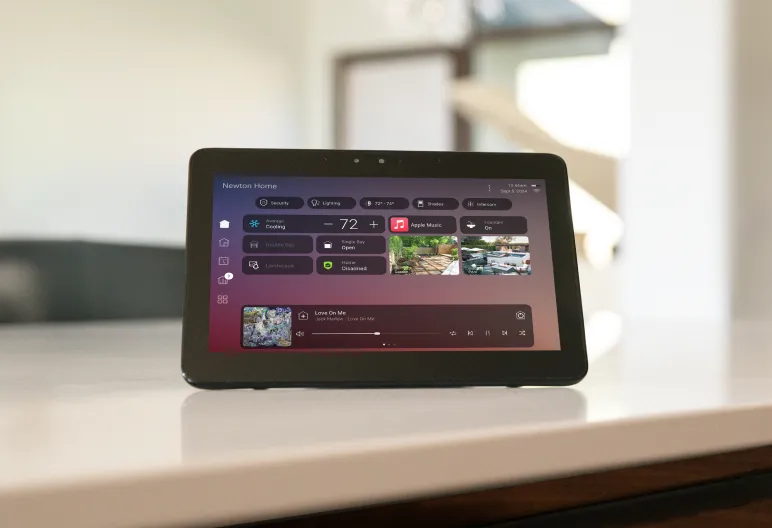
Once hardware is in place, the system is programmed. In Control4, “scenes” are preset routines that coordinate multiple actions at once — like an “Away” scene that locks doors, arms security, and adjusts lighting and temperature.
The team tests devices, controls, schedules, and scenes so the system behaves consistently before you rely on it day to day.
Step 5: What training covers at handoff
You’ll get hands-on training for the app, touchscreens, remotes, and any in-wall controls. You’ll also learn how scenes work, what’s automated, and what can be adjusted easily as your routine changes.
Support, Updates, and Expansion
A Control4 system can evolve as your property changes. Support plans often include remote troubleshooting, software updates, and adjustments to scenes and schedules.
If you add rooms, outdoor areas, new security camera system, or a lighting platform like Lutron, the system can be expanded without rebuilding from scratch.